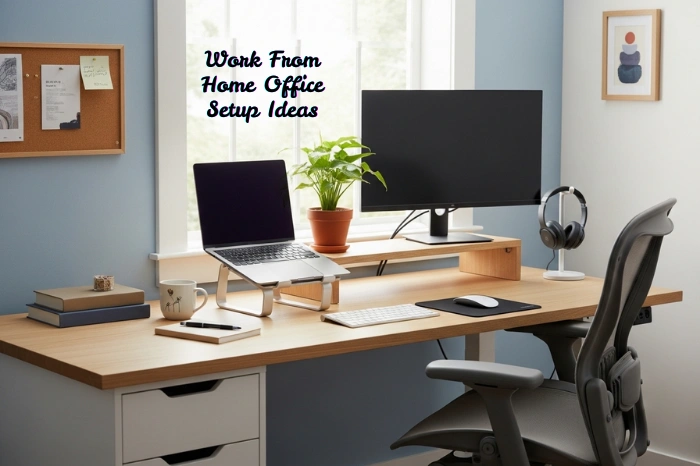

You all can agree that work from home sounds relaxing, offering time flexibility and no restriction of a 9-5 dress code – until you get agitated as you lack a proper Work From Home Office Setup. You find yourself in the uncertainty of a home routine, and an exhausting mind, losing productivity. That’s when you need a Minimalist Workspace.
Food for Thought: In the era of building online careers, nearly ‘one in five employees’ now works from home.
As a full-time freelancer working as a content writer, I too faced these struggles getting overwhelmed with my workspace, routine, and messed up work and personal life – until I had my own fully functional Work from Home Office Setup. Now work from home never feels like a burden to me, and I am always creative and comfortable working from home.
Do you want to work from home like a pro? Here is a blogpost that highlights the importance of Work From Home Office Setup to improve focus and find balance in a work-from-home environment. By the end of this guide, you’ll be able to overcome common remote work challenges and level up your home office setup.
Table of Contents
Why is there a Need for Best Home Office Setup for Productivity?
Remote work is fascinating; you don’t have to commute and be fixed to a rigid schedule, but the disaster it brings becomes a productivity nightmare. With no proper Home Office Setup, you try to focus in spaces designed for living – not working.
Kitchen tables become your working area, cluttered files and messed up cables lie here and there, and all of the above, the household interruptions become the biggest distractions. It becomes a great deal to face productivity challenges and set a clear boundary between work life and personal life.
That’s when Home Office Ideas come to reality. It helps with boosting productivity, staying focussed and keeping work from home comfortable. So, you can switch smoothly between “home mode” and “work mode” whenever it’s required.
Reminder: Treat Your Home Office Like a Real Office and set a clear boundary between work and home life by dedicating a specific area solely to work so you can maximize productivity.
How to Set Up a Work from Home Office?
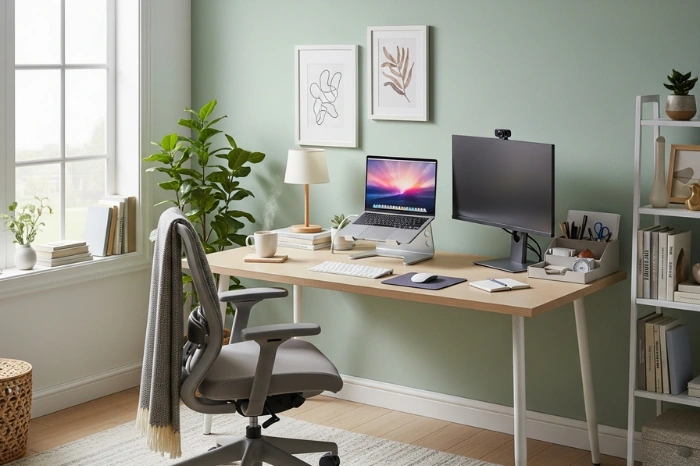
When I did a thorough research on Home Office Setup Ideas, I found that Minimal Desk Organization feels more functional and comfortable for work from home. Many people go for aesthetic setups but lack the basics that balance comfort with efficiency.
As our homes are already filled, Space Saving Desk Ideas work wonders in creating a Minimalist Desk Setup that becomes a game-changer in work from home. Here I share my experience and a few practical approaches to setting up work from home office that maximizes workflow and minimizes distractions.
1. Choose the Right Workspace
Do you know the right workspace in a home setting that really levels up the work from home? It depends on home to home spaces, you can go for Corner Desk Setup Ideas or Home Office in Bedroom Ideas. You should choose the workspace that is:
- separate from common household distractions
- Have good natural lighting to reduce eye strain
- Be quiet enough for focused work sessions
Tip: Incorporate personal touches that make the workspace feel welcoming and motivating.
2. Consider Appropriate Lighting and Color Palette
We don’t realize but the lighting and space color palette in a workspace is an important factor to consider while setting up a home office. A workspace demands colors that are neither too bright nor too dim because it is the light and colors that make or break your work mood. Good lighting keeps your focus intact, and wrong lighting may end up in headaches and eye strain.
- Natural light: Position your desk near a window if possible.
- Task lighting: A desk lamp with adjustable brightness can help during late hours.
- Warm vs. Cool color palette: Use cooler tones for focus and warmer tones for relaxation.
3. Efficient Tech and Tools
You must know that work from home setup accessories demand extra attention. In commercial workspace settings, you don’t bother about tech and tools, but in a home office setup, these can improve your work. Always set up your workspace with efficient equipment to keep up with efficiency at work.
- High-speed internet — Avoid lag and frustration.
- Noise-canceling headphones — Block out distractions.
- A second monitor — Boosts productivity for multitasking.
- Wireless keyboard & mouse — Reduces strain and clutter.
4. Invest in Ergonomic Furniture
Working from home doesn’t mean taking a toll on yourself. Sitting for long hours is unhealthy for the body. As you set up a home office, don’t compromise on investing in ergonomic furniture, as these are made for working rather than general use around the home.
- Adjustable Desk — Helps with posture and allows for sitting/standing variations.
- Ergonomic Chair — Relaxes your back and reduces strain.
- Monitor Stand — Keeps your screen at eye level to prevent neck pain.
Pro Tip: Don’t go for cheap furniture to save bucks; invest in good quality furniture for once, and it will last you long beyond your imagination.
5. Decluttering & Organizing Your Space
You know an organized desk is a game-changer in a working mood. You come to your desk, and it is organized; you can work with mental clarity. In contrast to it, a messy desk with files, pens, and papers here and there can instantly make you feel at a loss of creativity and work vibe.
- Use cable management tools to avoid tangled wires.
- Have minimal but necessary items on your desk.
- Invest in floating shelves or storage boxes for organization.
Quick Tip: Declutter at the end of each workday to start fresh the next morning.
Home Office Setup Checklist
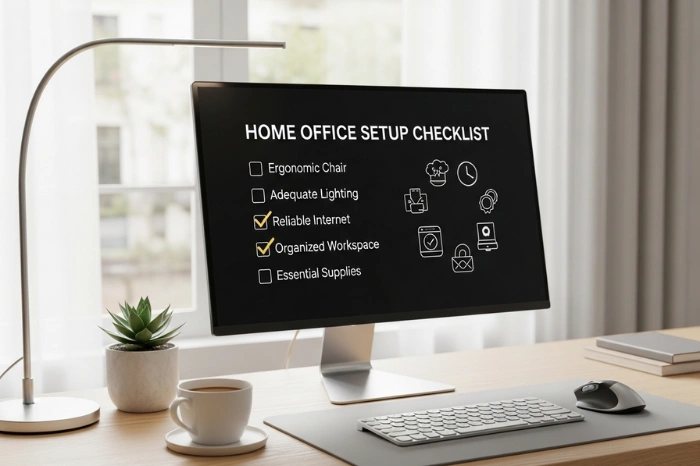
As a dedicated remote worker, working for years as a freelance content writer now, I am a staunch advocate of a work from home office setup. Without it, you can’t do a single day and end up failing to work with much-needed productivity, creativity, and inspiration.
If you are starting a remote work journey, you must check out my proven Home Office Setup Checklist. The following list has it all summarized in bullet points, what you consider the most in building your home office, according to your taste.
- Dedicated Workspace: A quiet and comfortable work area
- Latest Computer & Technology
- Power & Connectivity Tools: Backup power, charging cables
- Optimised Lighting and Neutral Colors
- Office Supplies: Notebook, Planners, Printer, Pens
- Organization & Storage: Desk organizer, bookshelves, drawer separators
- Wall Posters for Motivation
- Self-care Essentials: Water bottle, scents, desk plants, tea or coffee
Home Office Setup Accessories
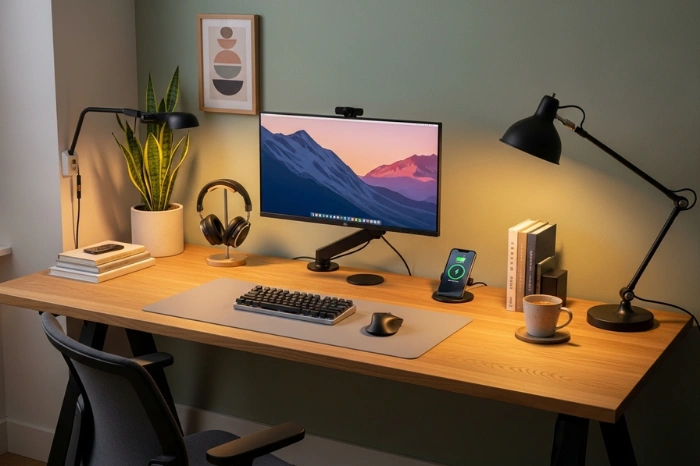
What do I need for a Work from Home Office is one of the most asked questions. Many believe that it’s just a home setup, and a laptop with a desk and chair is sufficient. But many don’t know it is a complete functional setup that requires all the accessories commonly found in a commercial work setting.
As you look into Modern home office ideas, you will know that Home Office Setup Accessories includes home office essentials (furniture), self-care essentials (eatables), and, of course, tech accessories. So, here I share a list of tech-based accessories you need to get to set up a home office.
- Furniture: Desk and Chair
- Working System: Laptops and PC
- Supporting Accessories: Monitors, Laptop Stands, Monitor Mounts
- Cables and Charging Adapters
- Keyboards, Mouse and Mouse Pads
- Headphones, Microphones
- Computer Speakers
- Webcams
- VPNs, Password Managers, and Wi-Fi
- Desk Lamps
- Desk Accessories: Calendars, Desk clock
- Office Supplies: Notepads
- Printers
- Office Storage
Effective Tips to Work from Home Like a Pro
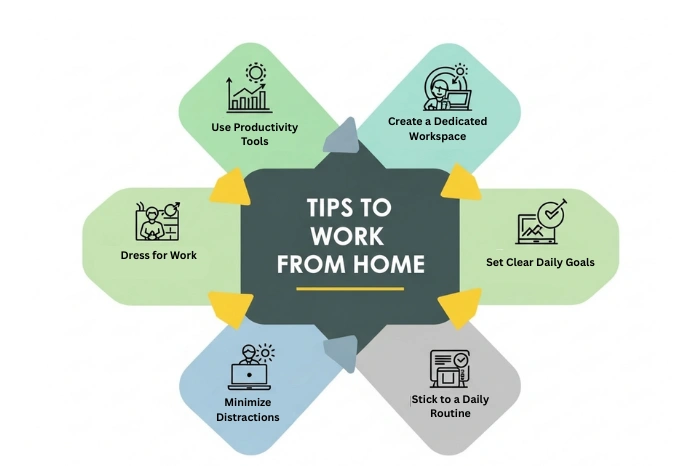
Work from home feels easygoing, but it can be the biggest challenge. The uncertain home routine, the distractions, and the lack of a proper office can hinder work from home. You are required to follow a few strategic approaches to be efficient. Here, I share my tried-and-tested tips to help you work from home like a pro.
- Follow a Fixed Daily Routine
- Create a Schedule of the Tasks
- Use the Pomodoro Technique: Work in focused intervals to improve efficiency
- 25 minutes work
- 5 minutes break
- After 4 cycles, take a longer break (15–30 minutes).
- Minimize Distractions
- Set Boundaries With Family
- Disconnect from Work Properly
Final Notes
Work from Home Office Setup is the need of today’s era, where online work, remote jobs, and work from home reign. These setups make working from home easy-going, creating a balance between personal life and work life. This way, productivity is enhanced, ensuring a structured workday. As you have reached the end of this reading, you know the importance of a home office, how to create one, and the tips to work from home like a pro. Read and share my strategic approaches and proven tricks to make your work from home journey effective.
Creating a structured start to your day can significantly improve work from home. Check out this guide on morning routine for productivity to learn how to start your workday the right way.
Frequently Asked Questions
What is Needed for a Home Office Setup?
1. Home-Office Essentials: Working Furniture
2. Tech Accessories: Laptop or PC
3. Power Connectivity: Wifi and Cables
4. Self-care Items: Coffee Warmer, Desk coasters
5. Desk Supplies: Calendars, Planners, Stationery
6. Wall Posters for Motivation
What is the Best Home Office Set Up?
The following makes the best home office setup:
1. Quiet and Comfortable Workspace
2. Good Lighting
3. Organized Desk with all your must-haves
How Much Money Do You Need to Start a Home Office?
When setting up a home office, many ask about the budget, because why not? It can be a major expense once. Taking the purchasing of electronic items and other amenities into account, you can have yourself a home office for between $4,000 to $5,500.
What is the Best Color for a Home Office?
The best office paint colors must support focus, balance, and sustained energy for maximum productivity. Soft blues enhance concentration and clear thinking, making them ideal for task-driven work. Neutral tones like warm whites and light grays help reduce visual distractions and create a clean, organized backdrop.